
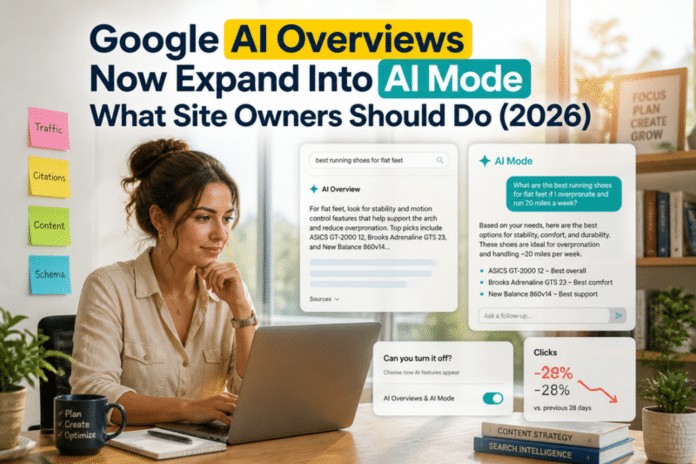
Google search results look different again. In late August 2026, Google confirmed that for some queries an AI Overview can now expand on its own into a fuller answer with the AI Mode prompt box already open, without the searcher clicking “Show more”. Keyword data pulled this week puts the plain query “ai overview” at around 110,000 monthly searches in the United States, so a lot of people are trying to understand, or avoid, this feature.
This guide explains what changed, whether you can switch AI Overviews off, which workarounds actually exist, and what it means if you publish content for a living.
What changed with Google AI Overviews
Until recently, an AI Overview showed a short summary and a “Show more” button. Searchers who wanted the longer response had to click. The Search Engine Roundtable reported on August 28, 2026 that Google is now loading the fuller AI Overview for some queries, with the “Ask anything” box already visible. It was first spotted by an SEO professional on social media and later reproduced by the publication.
A Google spokesperson described it as a dynamic behavior: for some queries, AI Overviews may expand when Google’s systems judge that to be most useful. In other words, it is not a blanket change for every search. It depends on the query, and Google decides.
The practical effect is that the step between a classic results page and a conversational AI session is getting shorter. A searcher can now move from an overview into follow-up questions in AI Mode without leaving the page.
Can you turn off Google AI Overviews?
No. Multiple 2026 and earlier guides agree that Google offers no official switch to disable AI Overviews in standard Search. What exists are workarounds that change how results are displayed.
Use the Web filter
After you search, tap or click the Web option in the menu under the search box, next to Images, Videos and News. The Web filter returns a more traditional list of links, and the AI Overview panel does not appear. You need to select it on each search unless you set up a shortcut.
Add udm=14 to the search URL
The Web filter works through a URL parameter, udm=14. If you add it to the end of a Google results URL, you land in the Web view. Several guides explain how to make this your default by creating a custom search engine in your browser.
- In Chrome, open Settings, then Search engine, then Manage search engines and site search.
- Click Add next to Site search.
- Name it something like Google Web and pick a shortcut such as @web.
- For the URL, use the Google base search address with q=%s and udm=14, following the format described in the guides from 9to5Google and others.
- Set it as default if you want every search to open in Web view.
Edge has a similar setting under Privacy, search and services, then Address bar and search, then Manage search engines. Safari users can bookmark a results URL that includes the parameter.
Try the minus-ai trick
Some guides suggest adding -ai at the end of a query to discourage the overview. It is a quick hack, but results vary and Google can change how it behaves at any time, so do not rely on it.
Check Search Labs
If you previously opted into AI Overviews and AI Mode experiments through Search Labs, you can switch those experiments off there. Be aware that other guides note this does not remove AI summaries that Google shows by default.
A privacy warning about proxy sites
Some websites act as a search box that strips AI Overviews out. Because they sit between you and Google, they can potentially see your queries. Use your browser’s own custom search engine setting instead if privacy matters to you.
Why this matters for website owners and bloggers
For publishers, an overview that expands on its own pushes classic blue links further down the page. Commentary around the change noted that more AI inside Search is likely bad news for publishers who already feel the effect of AI Overviews. The honest takeaway is that fewer searchers may click for simple questions, while detailed and original content still has room to earn clicks and citations.
You cannot control when Google expands an overview, but you can control how useful your pages are. Here is what is within your reach.
Answer the question early and clearly
Put a direct answer near the top of the page, then expand with detail. Pages that state the answer plainly are easier for any system, human or machine, to understand and quote.
Use structure that matches real questions
Descriptive headings, short sections and a genuine FAQ block help readers scan and help search systems map your content to follow-up questions, which is exactly what AI Mode encourages.
Add what summaries cannot copy
Original testing, first-hand screenshots, your own numbers and a clear opinion are harder to replace with a generic summary. If a page could be written by anyone from the first page of results, it is the page most likely to be replaced by an overview.
Target follow-up and long-tail intent
If overviews handle the broad question, your best opportunity is the next question: comparisons, troubleshooting, pricing details and how-to steps. Track those queries in Search Console and build pages around them.
Watch impressions and clicks together
If impressions rise but clicks fall, an AI answer may be absorbing the demand. Compare queries week over week before you rewrite everything. Treat the data as directional, not final.
What to expect next
Google has said this behavior is dynamic and query dependent, so expect it to appear more on some topics than others and to keep shifting. Anyone who tells you exactly how it will look in three months is guessing. The safest plan is to keep publishing useful, specific pages and to check your own search data regularly.
Frequently asked questions
Can I turn off Google AI Overviews completely?
No. Google does not provide an official off switch for AI Overviews in Search. You can avoid them by using the Web filter, a udm=14 custom search engine, or other workarounds, but these only change what you see.
What does udm=14 do?
It is a URL parameter that opens Google results in the Web view, which shows traditional links and leaves out the AI Overview panel.
What does it mean that AI Overviews expand into AI Mode?
For some queries, Google now shows the fuller overview with the AI Mode prompt box open by default, so searchers can ask follow-up questions without clicking Show more.
Does this affect every search?
No. Google says the expansion happens for some queries where its systems decide it is most useful, so it varies by topic.
How can bloggers adapt to AI Overviews?
Give direct answers, use clear structure, add original experience and data, and focus on follow-up and long-tail questions that a short summary cannot fully cover.